By Abhishek Patel · April 5, 2026
Talent Acquisition Platform: What It Is, Key Features, and How to Choose (2026 Guide)
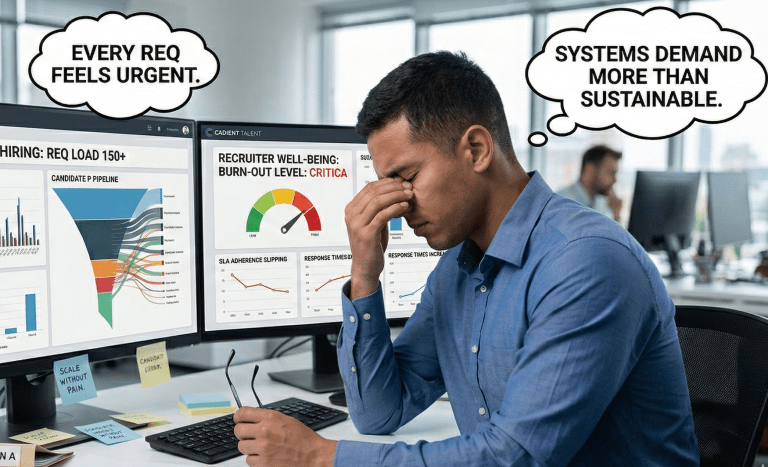
If you’re shopping for a talent acquisition platform, you’re probably feeling two things at once: urgency and skepticism. Urgency because req loads aren’t getting lighter. Skepticism because every vendor promises “end-to-end” magic, and you’ve been burned before.
So let’s get practical. I’m going to explain what a talent acquisition platform really is, how it differs from an ATS, what features actually matter in 2026, and how to run a vendor evaluation that doesn’t waste your team’s time. We’ll also talk AI, governance, security, and a 30/60/90 rollout plan that’s realistic (not fantasyland).
What Is a Talent Acquisition Platform?
A talent acquisition platform is a connected set of recruiting tools that covers the full hiring journey: sourcing, CRM, applicant tracking, interview workflows, offers, analytics, and the handoff into onboarding. The point is one system of record for hiring activity, plus integrations that don’t crumble every time you change a field name.
But here’s the nuance. Some platforms are “suite-first” and live inside a bigger HR ecosystem. Others are “recruiting-first” and integrate outward. Both can work. The right choice depends on your hiring volume, your HRIS reality, and how much autonomy TA actually has.
Talent acquisition platform vs ATS vs HRIS
People mix these up constantly. And vendors don’t exactly correct them, do they?
| Category | What it primarily does | Best at | Where it usually falls short |
|---|---|---|---|
| Talent acquisition platform | End-to-end recruiting workflows plus sourcing, experience, and analytics | Connecting sourcing-to-offer, standardizing hiring, visibility across funnel | Deep HR admin, payroll, benefits, complex global HR processes |
| ATS | Track applicants through stages and manage compliance records | Requisition control, workflows, approvals, reporting basics | Sourcing intelligence, nurture campaigns, modern candidate experience |
| HRIS | Employee system of record after hire | Core HR, job/comp data, org structure, payroll and benefits connections | Recruiter workflows, sourcing, interview operations, candidate UX |
Now, reality check: many “platforms” are just an ATS with add-ons. That’s not automatically bad. But you should know what you’re buying.
Who it’s for
Enterprise TA needs governance, complex approvals, global compliance, and integrations that survive procurement scrutiny. You’ll care about SSO, role-based access, and audit logs as much as you care about shiny recruiter features.
Mid-market teams usually want speed and simplicity: clean workflows, great scheduling, solid reporting, and sourcing that doesn’t require a separate admin. If you have 10 recruiters and 1 ops person, you can’t babysit fragile integrations.
Agencies often need CRM-first, pipeline reuse, and fast submittals. Many classic TA platforms are employer-centric, so agencies may lean toward tools that treat relationships as the core asset.
High-volume employers need throughput: hourly flows, texting, events, knockout screening, and location-specific compliance. If your KPI is “fill 300 roles this month,” you don’t have time for fancy.
Core Capabilities to Expect
A good platform should reduce manual steps, tighten feedback loops, and make your funnel measurable. That’s the bar. If a demo feels like a bunch of disconnected screens, you’re buying future headaches.
Sourcing and talent CRM
Sourcing is no longer just “post and pray.” You want a talent CRM that can segment pipelines, run nurture sequences, and track engagement without turning recruiters into part-time marketers.
Look for: reusable talent pools, campaign analytics, email domain health, and permissions that prevent accidental spam blasts. And yes, it should connect to your ATS records so you don’t create three versions of the same human.
Real-world example: a healthcare system I worked with cut agency reliance by focusing on past silver medalists. They built a “ready-to-rehire” pool and ran monthly outreach. It wasn’t glamorous. It worked.
Applicant tracking and workflow automation
Your ATS layer still matters. A lot. You need configurable stages, approvals, disposition reasons, and reporting that doesn’t require an Excel wizard.
Automation should cover the boring stuff: auto-advance rules, reminders for interview feedback, templated emails, and task triggers when candidates hit certain stages. But don’t over-automate. Candidates can smell it.
Candidate experience
Candidate experience is where great teams quietly win. A fast, mobile-friendly career site. Clear job descriptions. Scheduling that doesn’t take 11 emails. Simple stuff.
Many platforms now offer chatbots, SMS updates, and self-scheduling. Ask yourself: does it reduce drop-off, or just add another layer of noise? If your hourly applicants abandon after 6 minutes, a 3-step apply flow beats a “smart” bot every time.
Interview management
Structured interviews aren’t “nice to have” anymore. They’re how you reduce bias, improve hiring quality, and defend decisions when someone challenges them.
Scorecards, competency rubrics, interview kits, and calibrated feedback workflows matter. And the platform should make it easy for hiring managers to do the right thing in under 3 minutes.
Offer management and e-sign
Offer workflows should be tight: comp approvals, templates by role/location, version control, and e-signature. If you’re still chasing PDFs in 2026, you’re paying a hidden tax.
Also check: can it handle multiple offer scenarios, like hourly rate changes, shift differentials, or location-based allowances? Retail and manufacturing teams feel this pain daily.
Onboarding handoff
This is where many platforms quietly stop. They’ll say “onboarding,” but it’s often a handoff to your HRIS or a partner tool.
That’s fine. What you need is a clean transition: accepted offer triggers, data mapping, and a clear owner for what happens next. If your HRIS team and TA ops team don’t agree on the fields, you’ll ship broken data on day one.
AI-Driven Recruitment Features That Matter
AI is everywhere. Some of it is helpful. Some of it is marketing glitter. The goal of AI-driven recruitment should be measurable outcomes: faster cycle time, higher response rates, better funnel predictability, and fewer recruiter hours wasted on low-intent candidates.
And yes, you need guardrails. If a vendor can’t explain how their model works at a high level, that’s a red flag.
Matching and ranking
Skills-based matching can be great when it’s transparent. The best systems don’t just rank candidates; they show why someone is a fit: skills inferred, experience signals, recency, and gaps.
Ask for side-by-side comparisons. For example: a Java role with 3 required skills and 2 preferred skills. Can the system explain why Candidate A outranks Candidate B without waving its hands?
Candidate engagement automation
Automation should help you respond faster and stay consistent, especially when recruiters are juggling 30 to 50 open reqs. Think: suggested outreach copy, follow-up nudges, and timing recommendations based on response patterns.
But don’t let AI turn your employer brand into generic mush. If every message reads like it came from the same robot, your response rate will tank. I’ve seen it happen in tech recruiting within 2 weeks of rolling out templated AI outreach.
Predictive hiring analytics
Predictive hiring analytics is where platforms can genuinely help leadership planning. The practical use cases aren’t sci-fi. They’re things like funnel forecasting, recruiter capacity planning, and early warnings when a req is likely to stall.
Quality-of-hire is tricky because it depends on downstream data. So I prefer “quality proxies” early on: hiring manager satisfaction, interview-to-offer ratios by role family, and 90-day retention trends once you can connect HRIS outcomes.
Guardrails: bias, explainability, audit trails
Now the serious part. If you’re using AI to screen, rank, or recommend, you need governance. Not “trust us.” Real governance.
- Bias testing: ask what they test, how often, and what happens when drift is detected.
- Explainability: you should be able to see the factors behind rankings, not just a score.
- Audit trails: every automated action should be logged, including model versioning when possible.
- Human override: recruiters must be able to override recommendations and document why.
And if you’re in the US, your legal team will care about EEOC and OFCCP expectations around selection procedures, recordkeeping, and adverse impact monitoring. You don’t need to panic. You do need to be ready.
High-Volume Hiring Solutions
High-volume hiring solutions are a different sport. You’re optimizing for speed, completion rates, and show-up rates. Not perfect resumes.
So ask a blunt question: can this platform fill 1,000 hourly roles across 40 locations without your team melting down?
Screening at scale
Knockout questions matter. So do realistic job previews and lightweight assessments. The best flows reduce wasted interviews while staying fair and consistent.
Watch for configurable knockout logic by location and role, plus clear disposition reasons. If you can’t explain why candidates are being filtered out, you’re building risk.
Bulk actions, events, text to apply, hourly hiring flows
Bulk texting, event management, and hiring days are where platforms either shine or fall apart. You want: bulk stage moves, bulk messaging with opt-out handling, and event check-in that ties back to the candidate record.
Text-to-apply is huge for hourly. I’ve seen completion rates jump from roughly 35% to over 60% when the apply flow is mobile-first and under 5 minutes. That’s not theory. That’s operations.
SLAs, compliance, and location-based requirements
High-volume hiring is full of local rules: minor work restrictions, background check variations, union considerations, and scheduling constraints. Your platform should support location-based templates and compliance workflows without custom code every time.
Also track SLAs: time-to-first-touch, time-to-interview, and time-to-offer. When speed is the KPI, these are the numbers that move the business.
Integrations and Data
Integrations are where “platform” becomes real or becomes a lie. If your background check vendor, HRIS, assessment tool, and job boards don’t connect cleanly, recruiters end up doing duplicate work. And then adoption dies quietly.
HRIS and payroll, background checks, assessments, job boards
Start with your HRIS and payroll system. That’s the downstream source of truth. Make sure the integration supports field mapping, error handling, and re-sync logic when records change.
Then validate the rest: background checks, drug screening, assessments, video interviewing, and job distribution. Ask whether integrations are native, partner-built, or custom. It matters for support and uptime.
API and webhooks, data ownership, reporting layer
If you have any kind of data team, ask for API docs early. Webhooks help when you need real-time triggers, like sending “offer accepted” to an onboarding system.
Data ownership should be explicit: who owns candidate data, how exports work, and what happens at termination. And yes, you should ask about reporting architecture. Is there a real analytics layer, or are you stuck with canned dashboards?
One more thing: data hygiene. If your platform can’t dedupe candidates well, your “source of hire” report becomes fiction within a quarter.
How to Choose the Right Talent Acquisition Platform
Choosing a platform isn’t about finding the most features. It’s about finding the best fit for your workflows, your constraints, and your maturity. That’s the difference between a 6-month win and a 2-year slog.
Requirements checklist by team type
Here’s how I’d frame requirements, based on what I’ve seen work.
- Enterprise: global compliance controls, complex approvals, strong reporting, integration depth, security posture, configurable roles.
- Mid-market: fast implementation, intuitive UX, scheduling and templates, solid CRM, clean job distribution, flexible workflows.
- High-volume: SMS-first experience, event hiring, knockout logic, bulk actions, location-based templates, SLA dashboards.
- Agency-like internal teams: pipeline reuse, fast submissions, client-style hiring manager collaboration, strong search and tagging.
Now ask: what’s your biggest constraint? Recruiter capacity? Hiring manager behavior? Compliance? If you don’t name the constraint, you’ll buy software that looks good and fails quietly.
Must-have vs nice-to-have features
I like a simple rule: if a feature won’t change a KPI within 90 days, it’s probably not a must-have.
Must-haves often include: reliable scheduling, structured interview kits, offer approvals, reporting you can trust, and integrations that don’t break. Nice-to-haves include: fancy career site widgets, novelty AI features, and “cool” dashboards nobody opens.
But your list may differ. If you’re scaling from 200 hires to 800 hires, automation becomes a must-have fast.
Vendor evaluation scorecard
Most demos are theater. So don’t let vendors drive. You drive.
Use a scorecard with weighted categories like: recruiter UX, hiring manager UX, CRM and sourcing, analytics, integrations, security, and implementation support. Then run a demo script with your real workflows.
Demo scenarios I recommend:
- Scenario 1: Create a req with approvals, post it, and show how job distribution works end-to-end.
- Scenario 2: Source 20 candidates, add them to a campaign, and track responses and opt-outs.
- Scenario 3: Move a candidate through interview scheduling, scorecards, debrief, and decision.
- Scenario 4: Generate reports for time-in-stage by role family and source quality over 90 days.
- Scenario 5: Show audit logs for key actions and how permissions restrict sensitive data.
And please, talk to references that look like you. Same industry. Similar size. Similar complexity. A 5,000-employee SaaS company is not a reference for a 120,000-employee manufacturer.
Pricing, Implementation, and Adoption
Pricing is rarely transparent. That’s annoying, but it’s reality. Your job is to force clarity: what’s included, what’s an add-on, and what grows with usage.
Typical pricing models
Common models include:
- Per recruiter seat: predictable for stable teams, painful if you scale recruiters seasonally.
- Per employee: common in suites, easier for procurement, sometimes disconnected from TA value.
- Per hire: aligns to outcomes, can get expensive in high-volume years.
- Module-based: ATS base plus paid add-ons for CRM, career site, analytics, or AI features.
ROI calculation should be grounded. Time saved per recruiter per week. Reduction in agency spend. Lower cost-per-hire. Even a modest 10% reduction in agency usage can fund a lot of software, depending on your baseline.
Implementation timeline and internal owners
Most teams underestimate implementation. A realistic mid-market timeline is often 6 to 12 weeks. Enterprise can be 3 to 9 months depending on integrations and governance.
Internal owners you’ll want named early:
- TA Ops: process design, configuration decisions, templates, reporting definitions.
- IT: SSO, security review, integrations, data flows.
- HRIS team: downstream field mapping, onboarding handoff, org data alignment.
- Legal and compliance: retention, consent language, audit readiness, AI governance.
- Recruiting leadership: adoption expectations, hiring manager accountability.
Change management and recruiter enablement
Adoption isn’t training once. It’s reinforcement. It’s leadership expectations. It’s making the new way easier than the old way.
I like role-based enablement: recruiters get workflow mastery, sourcers get CRM depth, coordinators get scheduling muscle memory, and hiring managers get a 20-minute “how to not slow us down” session. Keep it real. Keep it short.
Top Talent Acquisition Platforms to Consider
This isn’t a “best software” crown ceremony. It’s a shortlist of common market leaders you’ll see in real evaluations, with honest fit notes. You should still run your own scorecard.
Best for enterprise suites
- Workday: strong for organizations that want recruiting tightly connected to core HR data and enterprise controls. Best when you’re committed to the suite and can support heavier configuration.
- Dayforce: often a strong fit for organizations with complex workforce needs, including scheduling and hourly populations, especially when HR and TA want one ecosystem.
But here’s the trade-off: suites can be powerful, yet slower to change. If your TA team needs rapid iteration, validate how quickly you can adjust workflows without a full project.
Best for sourcing and talent intelligence
- SeekOut: known for talent search, insights, and pipeline building, often used alongside an ATS. Strong when sourcing is a bottleneck and you need better talent intelligence.
- hireEZ: commonly used for outbound sourcing and engagement workflows, especially for teams that need to boost recruiter productivity quickly.
So, do these replace your ATS? Usually no. They complement it. The key is integration and dedupe so your data doesn’t become a mess.
Best for mid-market recruiting teams
- Lever: popular with mid-market teams that want a clean ATS plus CRM-style workflows. Often praised for usability and collaboration when configured well.
- Greenhouse: widely adopted for structured interviewing, scorecards, and hiring discipline. A strong choice when you want consistency and hiring manager accountability.
- iCIMS: long-standing player with broad capabilities and integrations, often seen in larger mid-market and enterprise environments with complex needs.
- SmartRecruiters: frequently positioned as a modern enterprise-grade recruiting platform with marketplace integrations and strong end-to-end workflow focus.
- Phenom: often considered when candidate experience, career sites, and talent experience layers are a priority, typically in larger organizations with brand and volume needs.
Notice what I didn’t do? I didn’t pretend there’s one winner. Your “best” depends on whether your pain is sourcing, process control, experience, or analytics.
AI Governance and Legal Readiness
Most competitor guides skip this. That’s a mistake, because procurement and legal are going to ask anyway. If you can’t answer, your project stalls.
Build a simple AI governance packet before you sign:
- Use-case inventory: where AI is used in the workflow, what decisions it influences, and who owns it.
- Validation approach: how you’ll test for adverse impact, accuracy, and drift over time.
- Documentation: model descriptions, change logs, and user-facing explanations where needed.
- Record retention: what’s stored, for how long, and how you respond to audits or data requests.
If you’re a federal contractor, assume OFCCP scrutiny. Even if you’re not, assume candidate challenges. It’s not paranoia. It’s preparedness.
Security and Procurement Checklist
Security reviews can kill timelines. So get ahead of it. Ask these early, not after everyone falls in love with the UI.
- SOC 2 or ISO 27001: current reports, scope, and any exceptions.
- SSO and SAML: support for SSO, MFA options, and SCIM provisioning if you need it.
- Role-based access: granular permissions for recruiters, coordinators, hiring managers, and interviewers.
- Data residency: where data is stored and what regional options exist.
- Encryption: at rest and in transit, plus key management basics.
- Audit logging: searchable logs for sensitive actions like exporting candidates or changing offer details.
And ask about incident response SLAs. If they can’t articulate their process, that’s a signal.
Implementation playbook
You don’t need a 40-page project plan. You need a practical one that your team will actually follow. Here’s a 30/60/90-day rollout plan I’ve seen work in the real world.
30 day plan
Goal: finalize design and get a working baseline configured.
- Confirm success metrics: time-to-fill targets, stage SLAs, candidate NPS goal.
- Map current workflows and decide what you’ll standardize vs allow by department.
- Configure core objects: stages, disposition reasons, scorecards, offer templates.
- Start security setup: SSO, roles, permissions, audit log access.
- Lock integration scope: HRIS, background checks, assessments, job boards.
60 day plan
Goal: integrate, test, and prepare the humans.
- Complete integrations and run end-to-end testing with real reqs and dummy candidates.
- Build reporting definitions: source taxonomy, stage definitions, time-in-stage rules.
- Create templates: outreach sequences, interview kits, hiring manager guides.
- Train by role and run office hours twice a week.
- Set governance: who can change workflows, who approves templates, how AI features are monitored.
90 day plan
Goal: launch, stabilize, and optimize.
- Go live with a pilot group, then expand in waves.
- Track adoption: logins, scorecard completion, time-to-feedback, scheduling cycle time.
- Fix friction fast: stage clutter, email templates, permissions issues.
- Publish a monthly KPI dashboard to TA and business leaders.
- Run a post-launch retro and lock the next 2 quarters of improvements.
So yes, it’s a project. But it doesn’t have to be chaos.
KPIs to Track After Launch
Software doesn’t fix recruiting. Behavior does. KPIs keep everyone honest, including us.
Time to fill, time in stage, source quality
Track time-to-fill, but don’t stop there. Time-in-stage reveals where the process breaks: slow manager feedback, scheduling delays, or offer approvals that sit for 4 days.
For source quality, look beyond volume. Measure interview rate, offer rate, and acceptance rate by source. If referrals convert at 18% and job boards convert at 3%, your budget decisions get easier.
Candidate NPS, offer acceptance rate
Candidate NPS is a simple pulse check, especially if you segment it by stage. People who get rejected after a respectful process can still be promoters. People who get ghosted won’t forget.
Offer acceptance rate is the reality meter. If it drops, your comp, speed, or candidate experience has a problem. Usually more than one.
Diversity metrics and adverse impact monitoring
Measure representation through the funnel, not just at hire. Where do candidates drop? Application? Screen? Onsite? Offer?
And if you’re using AI screening or ranking, you need adverse impact monitoring and documentation. Not because it’s trendy. Because it’s responsible, and it protects the business.
FAQ
What’s the difference between a talent acquisition platform and recruiting software?
Recruiting software is a broad term that can mean anything from an ATS to a scheduling tool. A talent acquisition platform typically implies a more connected system that covers multiple stages of hiring, with shared data, workflows, and reporting across the funnel.
Can a platform replace an ATS?
Sometimes, yes, because many platforms include ATS functionality. But not always. If the platform is sourcing-first or experience-first, you may still need a dedicated ATS for compliance-heavy tracking, approvals, and reporting. The deciding factor is whether it can handle your real workflows, not whether the vendor says “all-in-one.”
How do I evaluate AI features safely?
Ask for transparency on what the AI does, what data it uses, and how outputs are explained. Require audit logs, human override, and bias monitoring. Then run a pilot with defined success metrics and adverse impact checks before broad rollout. If a vendor can’t support that, keep shopping.
Conclusion
Buying a talent acquisition platform in 2026 is less about chasing the biggest feature list and more about picking the system that your recruiters and hiring managers will actually use on a Tuesday afternoon. It has to connect sourcing, ATS workflows, interviews, offers, and analytics without turning every change into a mini-project.
And don’t ignore the grown-up stuff: integrations, data hygiene, AI governance, and security. That’s where wins become durable. If you run a disciplined evaluation with real demo scenarios, a weighted scorecard, and a 30/60/90 rollout plan, you won’t just pick a vendor. You’ll build a hiring engine you can defend, measure, and improve.