By Abhishek Patel · April 25, 2026
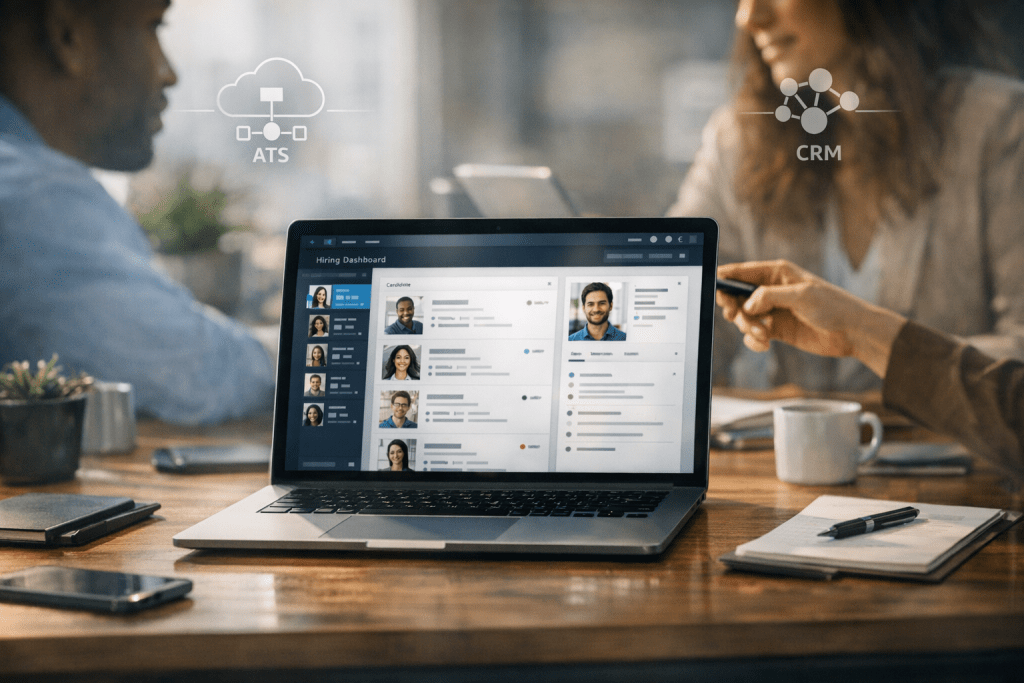
A talent acquisition platform is what you buy when your hiring process has outgrown “just an ATS” and you’re tired of duct-taping five tools together. It’s the system that connects sourcing, candidate engagement, screening, scheduling, and analytics into one end-to-end workflow. And yes, it can make recruiting feel less like herding cats.
But here’s the catch: not every team needs a platform. Some teams do great with a solid ATS and a couple of add-ons. Others need a full recruiting tech stack that actually behaves like one. So how do you tell the difference, and how do you pick the right one without getting sold a shiny demo?
I’ll walk you through what a platform is, how it compares to an ATS and recruiting CRM, the features that matter in 2026, and a vendor-neutral scorecard you can steal for your evaluation.
What Is a Talent Acquisition Platform?
A talent acquisition platform is a suite of recruiting capabilities designed to manage the full hiring lifecycle, from “we might need a role” to “new hire is handed off to onboarding.” It typically includes an ATS foundation, plus CRM-style nurturing, sourcing automation, interview coordination, and reporting that goes beyond basic req status.
Now, vendors love to call everything a platform. If it’s basically an ATS with a new UI, that’s not what we’re talking about. A real platform connects workflows across teams, channels, and stages so recruiters, coordinators, hiring managers, and candidates aren’t stuck in tool-hopping chaos.
Core components
Most modern talent acquisition platforms include a few core modules. The names vary, but the jobs they do are pretty consistent.
- ATS: requisitions, approvals, job posting, pipeline stages, offer letters, compliance reporting.
- Recruiting CRM: talent pools, nurture campaigns, re-engagement, segmentation, event recruiting.
- Sourcing: browser extensions, contact discovery, outreach sequences, referrals, internal mobility search.
- Scheduling: interview availability, panel coordination, calendar sync, candidate self-scheduling.
- Analytics: funnel conversion, source quality, recruiter capacity, DEI flow, time-in-stage.
And the difference-maker is how tightly these pieces work together. If sourcing lives in one tool, scheduling in another, and analytics in a spreadsheet, you don’t have a platform. You have a patchwork.
Who it’s for
I’ve seen platforms pay off in three common scenarios.
SMB teams buy a platform when they’re hiring fast and need consistency. One recruiter supporting 12 hiring managers can’t survive without automation and clean handoffs (ask me how I know).
Enterprise teams buy platforms for governance, scale, and reporting. When you’ve got 200 recruiters across regions, “everyone does it their own way” becomes a risk, not a quirk.
High-volume hiring teams buy platforms because speed is the product. If you’re hiring 500 call center reps or seasonal warehouse staff, scheduling and screening must run like an assembly line, not a bespoke process.
Also Read: What Is a Recruitment Automation Platform? Complete Guide
Talent Acquisition Platform vs ATS vs Recruiting CRM
This is where most buying committees get stuck. The terms are close, vendors blur them, and the demo makes everything look identical. So let’s make it plain.
An ATS is your system of record for applicants and compliance. A recruiting CRM is how you build and nurture relationships before someone applies. A talent acquisition platform usually combines both, plus automation and analytics that span the whole funnel.
When an ATS is enough
An ATS is often enough when your hiring volume is moderate, your roles are straightforward, and your sourcing is mostly inbound. If 70% of your hires come from job boards and referrals, and your recruiters aren’t running multi-step outreach, you may not need a full platform.
Also, if your team is small and stable, adding complexity can backfire. Buying a platform won’t fix unclear intake meetings, slow hiring manager feedback, or messy comp bands. Software can’t parent your stakeholders.
When a platform is better
A platform shines when you need end-to-end workflows that don’t break at every handoff. Think: sourcing leads, converting them into applicants, scheduling fast, collecting structured interview feedback, generating offers, and reporting on what actually worked.
Here’s a real scenario I’ve seen: a tech company doing 40 engineering hires per quarter. They had an ATS, a separate CRM, and a scheduling tool. Outreach replies were getting lost, candidates were double-booked, and leadership couldn’t answer a basic question: “Which source produces hires that pass probation?” A platform fixed the workflow and the data trail in one move.
Must-Have Features in a Modern Talent Acquisition Platform
Feature lists are easy. The hard part is knowing which features actually change outcomes. So I’ll call out what matters, what’s fluff, and what to ask in the demo.
AI sourcing and matching
AI can help, but only if it’s tied to measurable recruiting outcomes. In sourcing, look for tools that speed up search, ranking, and outreach personalization without turning your process into a black box.
Good AI sourcing looks like this: you paste a job description, the platform suggests a ranked list of profiles from your CRM, past silver medalists, and external sources, then drafts outreach that you can edit. Bad AI sourcing is “here are 1,000 matches” with no explanation.
Ask vendors how matching works. Is it keyword-based, vector-based, or a mix? Can you see why someone matched? Can you tune it by location, seniority, must-have skills, or work authorization? If they can’t explain it in normal language, that’s a red flag.
And yes, this is where hiring efficiency tools show up in the real world: fewer hours spent searching, fewer cold emails, more replies from the right people.
Candidate engagement
Candidate engagement is where many platforms quietly win or lose. You want email and SMS capabilities that feel human, not spammy. You also want segmentation so you’re not blasting the same message to interns and directors.
Look for:
- Nurture campaigns for silver medalists, event attendees, and alumni candidates.
- Two-way texting with opt-in controls and audit trails.
- Templates that recruiters can personalize quickly, not “marketing-only” locked content.
Now, a practical test: ask the vendor to show how a recruiter finds “past finalists for Product Manager roles in NYC who declined due to comp” and re-engages them in 3 minutes. If it takes 30 clicks, adoption will be ugly.
Screening and assessments integrations
Most teams don’t want assessments built into the platform. They want clean integrations with the assessment vendors they trust. That could be coding tests, role plays, language proficiency, or structured interview kits.
What matters is the workflow: can you trigger an assessment automatically at a stage, remind candidates, and pull results back into the candidate profile without manual uploads? Can hiring managers view results without extra logins?
Also ask about adverse impact monitoring if assessments influence selection. If the platform can’t report pass-through rates by demographic category where legally allowed, you’re flying blind.
Interview scheduling and coordination
Scheduling is the silent killer of time-to-fill. It’s also the easiest win. A platform should support candidate self-scheduling, panel interviews, time zone handling, and quick reschedules without coordinator heroics.
In high-volume hiring, scheduling should feel like booking a haircut. Pick a slot. Confirm. Done.
In specialized roles, you’ll need more nuance: interview kits, interviewer training prompts, structured scorecards, and feedback nudges that stop “I’ll submit later” from becoming “I forgot.”
Recruitment marketing and career site tools
Your career site is part of your funnel, whether TA owns it or not. Platforms that include career site tools can reduce dependence on web teams and let recruiting adjust content faster.
Look for landing pages, job distribution controls, SEO-friendly job pages, and conversion tracking. If you can’t measure “view job” to “apply” conversion, you can’t improve it. Simple.
And don’t ignore employer branding workflows. If your platform can capture campaign attribution from LinkedIn ads, university events, and employee referrals, you’ll finally know what’s worth the spend.
Analytics
Analytics should answer questions leaders actually ask:
- Where do candidates drop out, and why?
- Which sources produce hires who perform well?
- How long does each stage take by team and role?
- Are we improving DEI representation through the funnel?
At minimum, you want pipeline conversion, time-to-fill, time-in-stage, source quality, and recruiter workload. Better platforms add quality-of-hire signals by connecting to HRIS and performance data.
One opinion: if a vendor’s analytics are “pretty dashboards” but you can’t export raw data or define your own funnel stages, you’ll end up back in spreadsheets. I’ve watched it happen too many times.
Integrations
Integrations are where platform promises meet reality. Your talent acquisition platform should connect cleanly to HRIS, background checks, job boards, e-signature, identity verification, and communications tools.
Ask about:
- HRIS sync for new hire data and org structure.
- Background check workflows with status updates back in the candidate record.
- Job board distribution plus tracking links and source attribution.
- Open API and webhooks for custom needs.
But don’t stop there. Ask who owns the integration when it breaks. The platform vendor? The partner? Your IT team? That answer tells you what support will feel like at 4:45 pm on a Friday.
How to Choose the Right Platform
Buying software is easy. Buying the right software is a whole different beast. So let’s talk evaluation like adults: use cases first, governance second, then implementation and cost.
Use cases
Start with two hiring motions: high-volume and specialized. Many companies do both, which is exactly why selection gets messy.
For high-volume, prioritize automation, scheduling, texting, knockout questions, and fast reporting. For specialized roles, prioritize sourcing depth, CRM nurturing, structured interviews, and hiring manager experience.
And write down your “non-negotiables” in plain language. Example: “We need to schedule 1,200 interviews per month with less than 2 coordinator FTE.” That’s a real requirement. “Better scheduling” is not.
Data, security, compliance
This is where serious buyers separate themselves from demo tourists. Recruiting data is sensitive: resumes, compensation, demographics, background checks, and sometimes visa details. You need security controls that match the risk.
At minimum, evaluate:
- GDPR readiness: consent, right to be forgotten, data retention policies.
- EEO and OFCCP support: audit trails, disposition codes, reporting outputs.
- Role-based access: hiring managers see what they should, not everything.
- Audit logs: who changed what, when, and why.
Now, the missing piece many competitors gloss over: data governance for AI. If the platform uses models for matching or screening, ask about model transparency, bias monitoring, and how they handle drift over time. Who owns the model behavior? Can you audit outcomes by role, region, and demographic group where permitted? If the vendor gets vague, push harder.
Implementation, change management, support
Implementation isn’t just turning on features. It’s process design, permissions, templates, integrations, training, and adoption.
Typical timelines I see:
- SMB: 4 to 8 weeks if integrations are light.
- Mid-market: 8 to 16 weeks with CRM migration and job board tracking.
- Enterprise: 3 to 9 months depending on compliance, regions, and custom workflows.
So ask who does what. Will you get a dedicated implementation manager? Do they provide enablement for recruiters and hiring managers? Is there live support during go-live week? Those details matter more than another AI slide.
Pricing models and total cost of ownership
Pricing can be per recruiter seat, per employee, per requisition, or a bundle tied to your HR suite. The sticker price is only part of it.
Total cost of ownership includes:
- Implementation fees and data migration costs
- Integration costs, including middleware if needed
- Premium support tiers
- Optional modules like CRM, scheduling, or analytics upgrades
And watch for “platform” pricing that quietly excludes the pieces you assumed were included. If scheduling is an add-on and CRM is another add-on, you’re back to a modular stack, just sold under one logo.
Example Workflows a Platform Should Improve
Workflows are the truth serum. If a platform can’t make these three flows faster and cleaner, it won’t deliver ROI.
Sourcing to shortlist
Picture a recruiter hiring three sales reps in Chicago. They need to source 120 prospects, get 25 replies, screen 12, and shortlist 6. A platform should let them search past applicants and CRM pools first, then expand externally, then run outreach sequences with personalization tokens that don’t sound robotic.
The shortlist should be shareable with the hiring manager in one link, with notes, tags, and evidence of skills. Not a Frankenstack of screenshots and forwarded emails.
Screen to schedule
This is where candidate experience either sings or stumbles. After a screen pass, the platform should trigger scheduling options instantly, confirm time zones, and send reminders. If a candidate reschedules, it should update everyone’s calendars and keep the feedback loop intact.
For high-volume roles, the workflow can include chat-based screening and automated scheduling. That’s one of the few places I’ve seen automation dramatically cut time-to-interview from 5 days to under 24 hours (yes, really) when the process is designed well.
And that’s another spot where hiring efficiency tools aren’t a buzzword. They’re the difference between hitting headcount and missing revenue targets.
Offer management and handoff to onboarding
Offers are sensitive, messy, and full of back-and-forth. A platform should support approvals, comp bands, offer letter generation, e-signature, and version control. No one wants “Offer Letter Final FINAL v7” living in email.
Then comes handoff. The platform should push the right data into HRIS or onboarding: start date, manager, location, compensation, and required documents. If recruiters have to retype info, errors will happen. They always do.
Also Read: Benefits of a Data-Driven Hiring Platform for Modern Enterprises
Common Pitfalls and How to Avoid Them
Most platform failures aren’t about bad software. They’re about bad buying and sloppy rollout. Let’s avoid the classics.
Buying AI without measurable outcomes
“AI-first” sounds great. But what are you measuring? Reply rate? Screen pass-through? Time-to-fill? Quality of hire at 6 months?
Pick 3 to 5 KPIs before you sign. Then run a pilot with a baseline. Example: if outbound reply rate is 12% today, set a target of 16% in 90 days with the new platform’s personalization and sequencing. If the vendor can’t support that measurement, you’re buying vibes.
Also, require explainability for matching and screening. If a candidate asks why they were rejected, you need more than “the model said so.”
Poor integration strategy
Integration strategy is boring until it breaks your hiring engine. Decide early what your system of record is. If the platform is the ATS, great. If it sits on top of an existing ATS, define which fields sync, who owns data quality, and how duplicates are handled.
Do a data mapping workshop. Include TA ops, HRIS, IT, and compliance. It’ll feel slow. It’ll save you months.
And insist on an integration support plan in writing. If your background check integration fails and candidates get stuck, you need SLAs and clear escalation paths. Not finger-pointing.
FAQ
What’s the best talent acquisition platform?
The best talent acquisition platform is the one that fits your hiring motion, data requirements, and team maturity. If you’re high-volume, prioritize automation and scheduling. If you’re specialized hiring heavy, prioritize CRM, sourcing, and structured interviews.
My advice: shortlist 3 vendors, run the same 5 workflow demos, and score them with weighted criteria. Don’t pick based on brand or the slickest UI.
How long does implementation take?
It depends on integrations, regions, and how much process change you’re willing to tackle at once. Many SMB teams can go live in 4 to 8 weeks. Mid-market often lands around 8 to 16 weeks. Enterprise rollouts can take 3 to 9 months, especially with OFCCP reporting, multiple languages, and complex permissions.
So plan for enablement, not just configuration. Adoption is the timeline killer.
Can it replace my ATS?
Sometimes yes, sometimes no. Some platforms include a full ATS and can replace it. Others sit on top of your ATS and act as the sourcing, CRM, and engagement layer.
If you’re in a regulated environment or heavily tied into an HR suite, you might keep your ATS and add a platform layer. Just be clear about data ownership, audit trails, and where reporting lives.
Vendor neutral scorecard template
You asked for practical. Here’s the evaluation framework I wish more teams used. Weight the categories based on your reality, not the vendor’s pitch.
| Category | Suggested weight | What to test in demo | Your score |
|---|---|---|---|
| End-to-end workflow fit | 25% | Run a real req from intake to offer with handoffs | |
| Sourcing and CRM depth | 15% | Find past finalists, build a segment, launch outreach, track replies | |
| Scheduling and coordination | 10% | Panel scheduling, reschedule, time zones, reminders | |
| Analytics and reporting | 15% | Custom funnels, time-in-stage, source quality, exports | |
| Security and compliance | 15% | Role permissions, audit logs, retention, EEO and OFCCP outputs | |
| Integrations and APIs | 10% | HRIS sync, background checks, job boards, webhook support | |
| Implementation and support | 10% | Project plan, training, support SLAs, customer references |
Now, here’s the move: ask each vendor to provide two customer references that match your hiring type. One high-volume. One specialized. Then ask the references what broke in the first 60 days. That’s where the truth lives.
KPI framework to measure ROI after go live
If you can’t measure ROI, you can’t defend renewal. Simple as that.
I recommend tracking three layers of metrics:
- Speed: time-to-fill, time-to-first-interview, time-in-stage, scheduling turnaround time.
- Funnel health: apply-to-screen, screen-to-interview, interview-to-offer, offer acceptance rate.
- Quality: 90-day retention, hiring manager satisfaction, performance at 6 months where available.
Set baselines for the last 2 to 4 quarters. Then set targets by role family. A nursing requisition and a staff engineer requisition shouldn’t share the same benchmarks.
And don’t ignore candidate experience. Track candidate drop-off rate and post-interview NPS if you can. If your platform improves speed but candidates hate the process, you’ll pay for it later in reputation and rework.
Data governance for trust and accountability
Data governance isn’t sexy. But it’s how you keep control when multiple teams, vendors, and AI features touch the same candidate record.
At a minimum, define:
- Data ownership: who owns candidate data, who can edit it, and who approves changes to fields and stages.
- Audit trails: logging for stage changes, rejection reasons, and offer edits.
- Model transparency: how AI recommendations are generated and what inputs are used.
- Bias monitoring: regular checks on pass-through rates and selection outcomes, with documentation.
So if your legal team asks, “Show me how decisions were made,” you can answer with evidence, not opinions.
A talent acquisition platform can be a great investment when you need connected workflows across sourcing, CRM, scheduling, offers, and analytics. It’s not magic, though. If your process is unclear or your data is a mess, the platform will just expose it faster.
But when you choose based on real use cases, demand strong integrations and governance, and measure ROI with clear KPIs, you’ll see the payoff: faster hiring, better candidate experience, and reporting you can actually trust.
Now pick your top 3 vendors, run the same workflow demos, score them with weighted criteria, and buy the tool that fits how you hire, not how they market. Your future self will thank you.